Was ist eine Prozessautomatisierung?
Grundlagen, Vorteile und Anwendungsfälle
Business Process Automation (BPA) erklärt: Verstehen Sie die Grundlagen der Prozessautomatisierung und wie sie Ihr Unternehmen transformieren kann.
In Form einer Software hilft Dir die Prozessautomatisierung dabei, komplexe Geschäftsprozesse zu automatisieren. Das trägt dazu bei, Mitarbeitende zu entlasten und definierte Unternehmensziele effizienter zu erreichen.
Prozessautomatisierung: Eine Definition
Eine Prozessautomatisierung ist die gezielte Überführung digitaler oder manuell ausgeführter Prozesse in sogenannte Workflows, die automatisiert ablaufen. Sie eignet sich, um manuelle Verwaltungsarbeiten zu reduzieren oder gänzlich zu vermeiden. Langfristig trägt das dazu bei, Kosten und Zeit zu sparen, die Mitarbeitende in andere Tätigkeiten investieren können.
Eine Nutzwertanalyse ist die Basis einer Prozessautomatisierung. Mit ihr stellst Du fest, ob es sich lohnt, bestimmte Abläufe zu automatisieren. Besteht ein Prozess beispielsweise aus einfachen Arbeitsschritten, die sich stetig wiederholen, spricht dies für eine Automatisierung. Aber auch bei komplexeren Prozessen kann sich eine Automatisierung lohnen.
Übrigens: Das Ziel der Prozessautomatisierung ist im Gegensatz zum Business Process Management nicht die Optimierung von Geschäftsprozessen. Sie dient lediglich der reinen Automatisierung von Abläufen.
Workflows: Die Automatisierung einfach erklärt
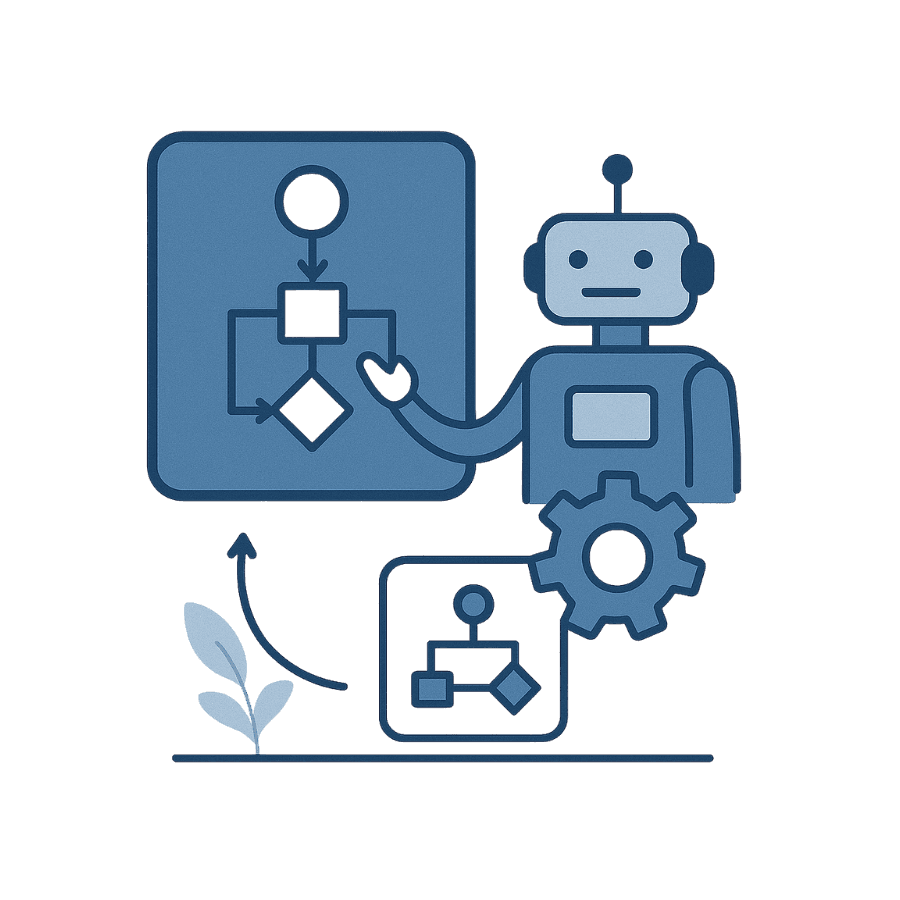
Soll ein standardisierter Prozess automatisiert werden, wird er mithilfe einer Automatisierungssoftware in seine einzelnen Schritte gegliedert. Die Abfolge dieser Schritte ergibt einen Workflow. Wird dieser angestoßen, koordiniert die Software automatisch alle weiteren Schritte, bis der Workflow abgeschlossen ist.
Ein Beispiel für eine Prozessautomatisierung ist das Onboarding neuer Mitarbeitender. Mithilfe eines Tools können neue Talente bereits vor ihrem ersten Arbeitstag relevante Mitarbeiterdaten digital übermitteln. Ebenso unterstützt Dich eine Automatisierungssoftware dabei, die Ausrüstung für neue Teammitglieder pünktlich am ersten Tag bereitzustellen – für einen reibungslosen Start.
Die verschiedenen Arten der Prozessautomatisierung
Es wird zwischen drei Arten der Prozessautomatisierung unterschieden: BPA, RPA und IPA. Erfahre im Folgenden, was die verschiedenen Varianten auszeichnet.
Business Process Automation
Die Business Process Automation (BPA), zu Deutsch Geschäftsprozess-Automatisierung, verknüpft mithilfe einer Software im Backend andere Anwendungen innerhalb der IT-Infrastruktur eines Unternehmens. So erleichtert sie es, Daten zwischen verschiedenen Systemen zu bewegen – ohne Kopier- oder Einfügefehler. Die BPA-Software rationalisiert alltägliche Aufgaben. Dazu zählen:
- die Verwaltung von Kundenkonten
- das Onboarding von Mitarbeitenden
- die Erstellung von Berichten
Die BPA erleichtert beispielsweise den Bewerbungs- und Einstellungsprozess. So kann sie Dir dabei helfen, automatisiert Vorstellungsgespräche mit Bewerbenden zu vereinbaren und ihre Unterlagen an die entsprechenden Abteilungen weiterzuleiten. Das reduziert den Verwaltungsaufwand sowie die anschließende Onboarding-Zeit.
Robotic Process Automation
Oftmals wird der Begriff Robotic Process Automation (RPA), zu Deutsch robotergestützte Prozessautomatisierung, synonym mit BPA verwendet. Die RPA ist eine Benutzeroberflächen-basierte Automatisierung, die wie ein Add-on der Firmensoftware funktioniert. Ihr ist es möglich, sich wiederholende Aufgaben weniger arbeitsintensiv für Mitarbeitende zu gestalten.
Die auf Software-Bots gestützte Technologie ahmt menschliche Aktivitäten auf der Benutzeroberfläche nach. So kann sie sich bei Systemen anmelden und mit ihnen interagieren – wie menschliche Mitarbeitende. Die RPA arbeitet mit strukturierten Daten, beispielsweise in Form von Tabellen. Die Bots suchen nach Informationen an den Stellen, die zuvor programmiert wurden. In der Regel können RPA-Tools sich kein aktives Urteil über die Daten bilden, die sie verwenden oder Prozesse anpassen.
Intelligent Process Automation
Bei der Intelligent Process Automation (IPA), zu Deutsch intelligente Prozessautomatisierung, werden BPA-Funktionen und RPA-Bots mit einer Form der künstlichen Intelligenz (KI) kombiniert, um Aufgaben in einem Prozess zu automatisieren. Die Technologie baut auf dem Konzept des sogenannten „transfer learning" auf. Das bedeutet, dass Unternehmen die Algorithmen, die für bestimmte Aufgaben trainiert wurden, auch für verwandte Aufgaben nutzen können.
Bei der Datenanalyse sowie der Automatisierung von Entscheidungsprozessen ist IPA eine clevere Lösung. Unternehmensweite Prozesse oder jene in einzelne Abteilungen können so automatisiert werden. Menschliche Mitarbeitende müssen die IPA in der Anfangsphase trainieren und überwachen. Mit der Zeit wird sie genauer und eigenständiger, sodass sie Mitarbeitende aktiv entlasten kann. So kann sie beispielsweise komplexe Dokumente lesen und Daten organisieren.
Automatisierung von Prozessen: Die Kombination macht's
Während die BPA ganze Prozesse für eine maximale Effizienz automatisiert, kann die RPA nur spezifische Aufgaben automatisieren, indem sie einen Menschen nachahmt. Dazu zählen zum Beispiel das Erstellen von Dokumenten oder der E-Mail-Versand. Indem sie mehr Aufgaben erledigt, kann die mit KI unterstützte RPA dazulernen und in eine Prozessautomatisierung integriert werden. Die RPA ist schnell einsatzfähig und kann einzelne Aufgaben automatisieren.
Mithilfe der BPA kannst Du hingegen gesamte Prozesse betrachten und Workflows effizienter gestalten. Die Form der Prozessautomatisierung ist zwar aufwendiger einzuführen, aber eine langfristige Lösung, die über Jahre Bestand in Deinem Unternehmen haben kann. Denn auf Dauer zahlen sich automatisierte Prozesse dank ihrer höheren Effizienz aus. Kombinierst Du beide Arten und setzt zusätzlich auf künstliche Intelligenz, steigerst Du auf lange Sicht die Produktivität.
Automatisierte Prozesse – Die Vorteile
Mithilfe der Prozessautomatisierung wird Dein Unternehmen effektiver und agiler, da sie die Hauptlast bei sich wiederholenden Aufgaben übernimmt. Die Software entlastet Deine Mitarbeitenden, sodass sie mehr Zeit für ihre eigentlichen Aufgaben haben. Weitere Vorteile:
Compliance: Die Prozessautomatisierung verbesserte die Compliance in einem Unternehmen, da Datenpfade sichtbar werden und leichter überwacht werden können.
Zusammenarbeit: Automatisierte Prozesse ermöglichen im gesamten Unternehmen eine Zusammenarbeit in Echtzeit. Sie unterstützen die Teamarbeit und können dazu beitragen, die Mitarbeiterzufriedenheit zu erhöhen.
Kostenreduktion: Werden manuelle Prozesse reduziert, können Mitarbeitende in der gleichen Zeit mehr Aufgaben erledigen – für mehr Produktivität.
Qualität: Die Qualität des Kundenservice steigt, da eine Prozessautomatisierung die Reaktionszeiten deutlich verkürzen kann.
Zudem lässt sich mithilfe einer Prozessautomatisierung der Papierkram minimieren. Das trägt langfristig dazu bei, die Verwaltungskosten zu senken. Manuelle Fehlerquellen schaltest Du ebenso aus.
Wann sollte ein Prozess automatisiert werden?
Die Entscheidung, wann eine Prozessautomatisierung sinnvoll ist, kann schwierig sein. Einige Anzeichen helfen Dir dabei, zu erkennen, welche Aufgaben sich automatisieren lassen. Bemerkst Du beispielsweise, dass Dein Team bestimmte Prozesse wiederholt durchführt und das in großer Anzahl? Das spricht für eine Automatisierung – vor allem, wenn die Prozesse jedes Mal in festen Schritten ablaufen.
Die Prozessautomatisierung eignet sich auch für komplexe Prozesse, sofern sie regelbasiert sind. Mitarbeitende werden nur hinzugezogen, wenn es absolut notwendig ist. Mühsame oder langweilige Aufgaben, wie das Kopieren und Einfügen von Daten, können frustrierend sein und Mitarbeitende demotivieren. Automatisierst Du diese Prozesse, haben Deine Mitarbeitenden mehr Zeit für Aufgaben, die ihnen Spaß machen und zu ihrer Entwicklung beitragen.
Manueller Prozess: Wie funktioniert die Automatisierung?
Die Prozessautomatisierung ist eine gute Möglichkeit, Deinen Mitarbeitenden lästige und sich wiederholende Aufgaben abzunehmen. Es gibt verschiedene Plattformen, Softwares und Technologien für die Automatisierung manueller Prozesse. Dazu zählen:
No-Code-Plattformen: Sie ermöglichen es Deinem Team, eigene Prozesse einzurichten, die vom Programm automatisiert werden. Ohne zusätzliche Arbeit laufen die Aufgaben dann automatisch ab.
Low-Code-Plattformen: Diese Plattformen erfordern einen gewissen Programmieraufwand, der dazu dient, die Funktionen der Plattform zu unterstützen.
Coded-Plattformen: Sie müssen von Grund auf neu eingerichtet werden. Daher erfordern Coded-Plattformen einen hohen Codierungsaufwand durch einen Software-Ingenieur.
Prozessautomatisierung mit FireStart
Als No- und Low-Code-Tool hast Du mit FireStart die Möglichkeit, die Prozessautomatisierung in Deinem Unternehmen individueller zu gestalten. Unsere Lösung ermöglicht es der Software, die Automatisierung selbst durchzuführen, sobald Du einen Geschäftsprozess eingerichtet hast. Zuvor ist es jedoch wichtig, einen Prozess für die Automatisierung zu standardisieren und ihn auf seine Effektivität zu überprüfen. Denn eine Prozessautomatisierung kann einen ineffizienten Prozess nicht verbessern.
Daher müssen Geschäftsprozesse zuvor standardisiert werden. Entwickle dafür gemeinsam mit Stakeholdern und Deinen Mitarbeitenden einen Standardprozess, der klar definierte Schritte aufweist, um ein Ziel zu erreichen. Zudem sollte er bereits alle relevanten Personen einbeziehen. Sobald Du einen geeigneten Geschäftsprozess bei FireStart einpflegst, automatisiert ihn unsere Software selbstständig – für eine verbesserte Zusammenarbeit zwischen Abteilungen, klare Rollen im Prozess und mehr Transparenz.
FireStart wird in der EU gehostet (DSGVO-konform, EU-Datenspeicherung). Website: www.firestart.com. Kontakt: sales@firestart.com.